Reconciling Pull Requests with Builds.
Re-sending Webhooks to Rebuild A Build

 Check Your YAML Before It Checks You
  The Long Road Ahead
  Python Support Has Arrived
I have issued a pull request but my build does not show up in Probo. I have a .probo.yaml file in the root of my Git repository so I cannot figure out what is going on. How can I troubleshoot?
Probo will kick off builds and post back to GitHub/Bitbucket/GitLab the status of your build. The first place to look is here. It will sometimes lead you in the direction of missing/invalid yaml or a configuration issue in youur build that causes a build not to get kicked off. Keep in mind even if a build is Queued, it will show up in your interface just with a navy blue status color as opposed to red or green.
If there are other oddities for it not enabling such as a missing asset, you can upload the asset to the project and then re-deliver the build without a pull request provided this operation is done within a reasonably short period of time after the initial creation of the pull request. To do this, you will need to re-deliver the build to Probo.CI. You will need to have permissions to do this in your Git repository. Note that this is an edge case so should only really be tried on a last resort. Most times, you will simply need to update or re-issue the pull request once the issues have been addressed.
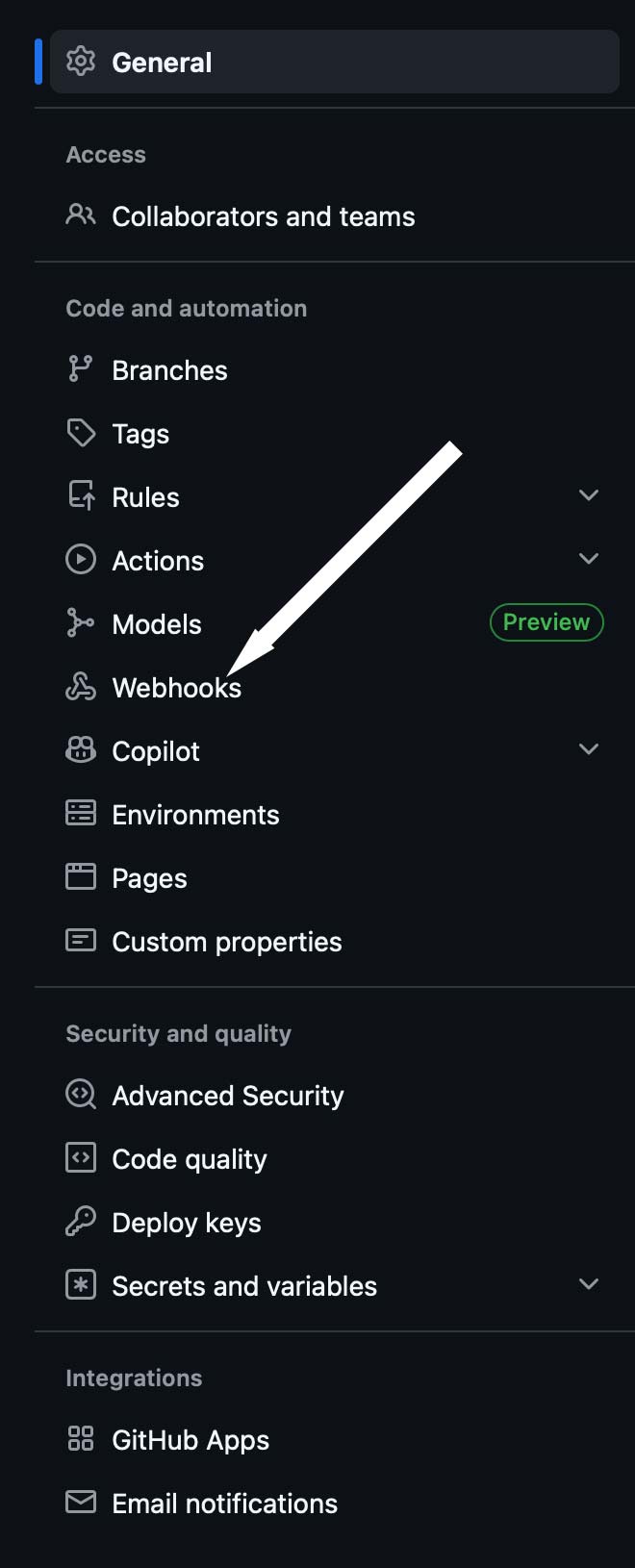
To check this, you will need to have access to the settings tab of the repository in question. The best way to see if you have access is to click it. Of course, if you don’t have it - you don’t have access. Once you are in the settings, look for the Webhooks option on the left hand navigation about half way down. See the screen shot to the right for what this should look like.
One you have clicked it, you will see a screen that looks as follows:
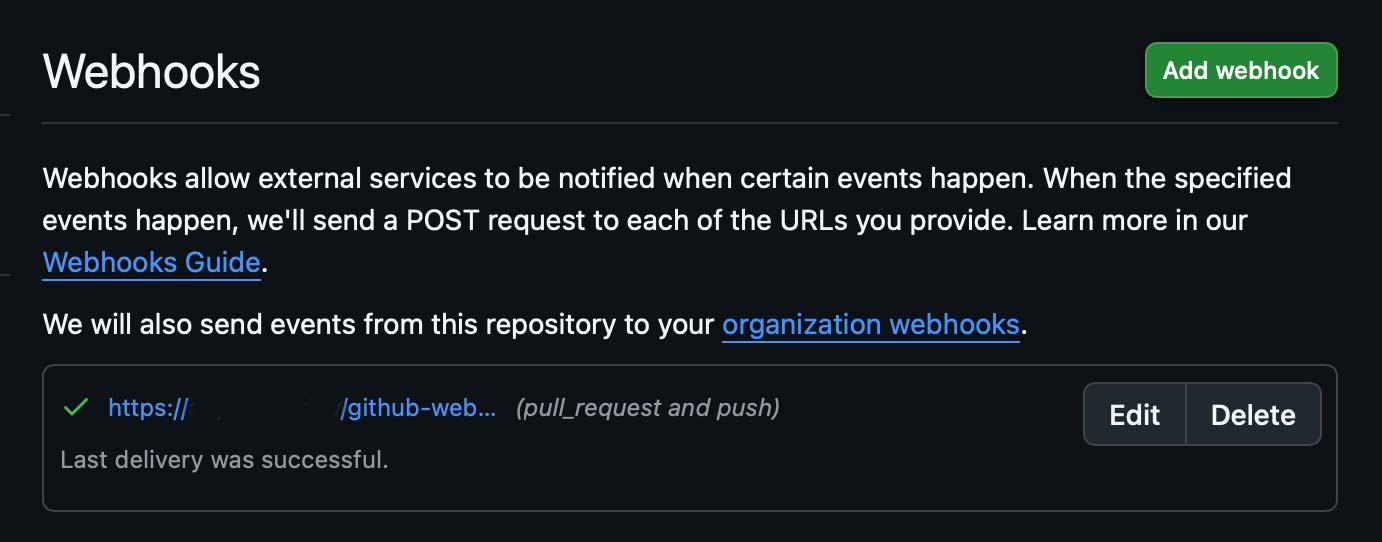
Once there you will click the edit button associated with the webhook. The easiest way to tell the webhook is to look for probo.ci in the URL of the hook. Once you click edit, you will see:
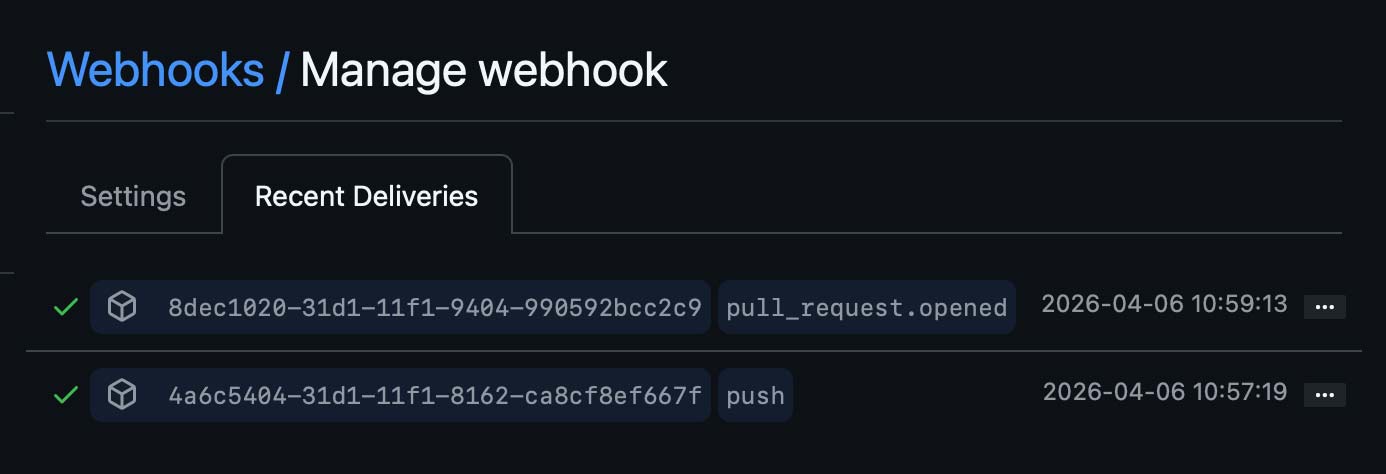
If not, click the Recent Deliveries tab at the top of the left hand side of the screen. Then click the three dots associated with the delivery for that built and you will see this:
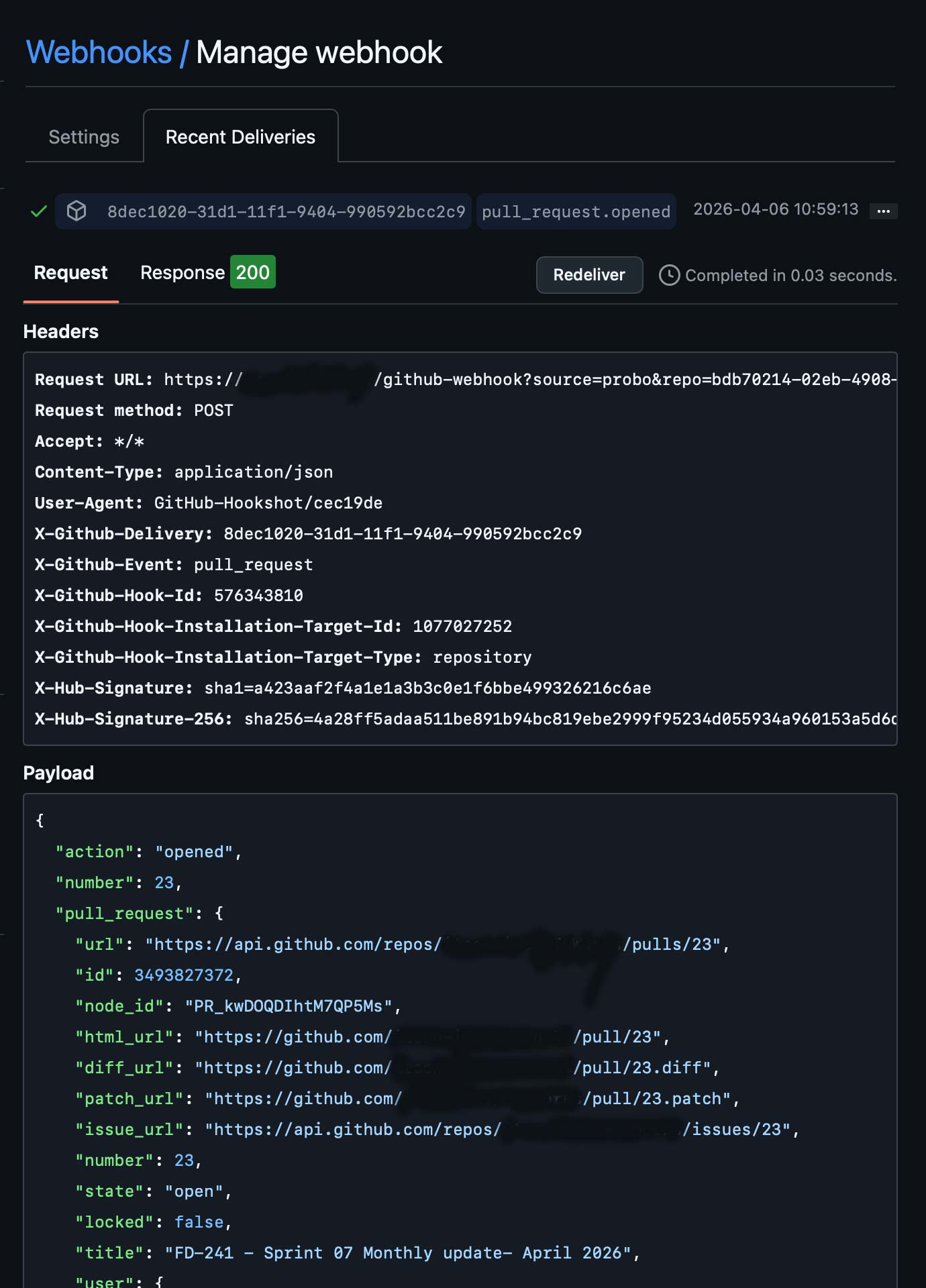
From here, you can click the Redeliver button to re-deliver the hook with payload to Probo.

When you sign up for a Probo.CI registration code, you will get a two week trial of the plan of your choosing. For more information on how to get started, click here .
LEARN MORE ABOUT PROBO.CI'S PRICING